Visual memorization
Notes light up exactly where they live on the neck. Shapes lock in. Guessing fades out.
Memorize music by seeing it.
See notes, scales, and chords as color-coded patterns — guided by an AI tutor.
Open Fretty, light up what you are trying to memorize, and hear why it matters directly on the fretboard — from the AI tutor that lives inside it.

Ask Fretty
AI tutor that answers what you see on the neck.
Built into the live fretboard
Custimizable Color-Coded Fretboard
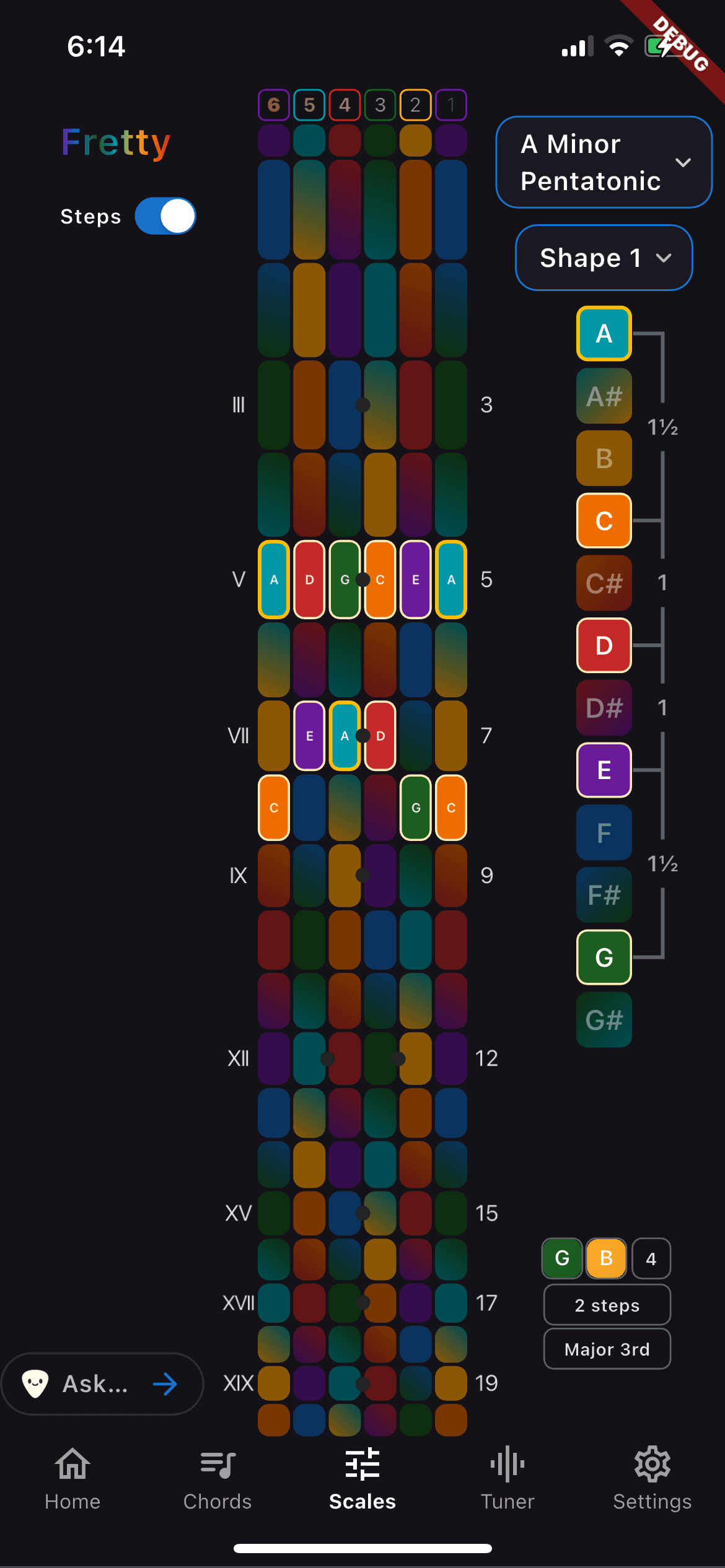
Scale view — patterns you can resize, recolor, and connect.
“These tones outline your Cmaj7 chord. Slide this shape up two frets and you’re in D mixolydian.”
Tap any note on the neck to hear it, see what it connects to, and ask the tutor what to play next.
What Fretty does
Every note, interval, and color is yours to tweak. The result: the shapes finally stick — and relate to the sounds in your head.
Notes light up exactly where they live on the neck. Shapes lock in. Guessing fades out.
Colors, emphasis, dimming, patterns — tune the fretboard to how your brain learns.
Tap a note. Hear it. See how it connects — in real time.
Ask why a shape works, what to play next, or how to use it musically — and see the answer on the fretboard.
Shape presets
PlaceholderNeck zoom
PlaceholderThe AI tutor (what it actually helps with)
Fretty’s tutor doesn’t lecture. It renders your question as movement on the neck, so you see the “why” without leaving the instrument.
No generic theory. The AI responds to what you’re looking at — your chord, your scale, your position.
Instead of paragraphs, it highlights notes, intervals, and movements directly on the neck.
Stuck on a chord? A progression? A sound in your head? Ask — and keep playing.
Beginner explanations when you need them. Advanced insight when you’re ready.
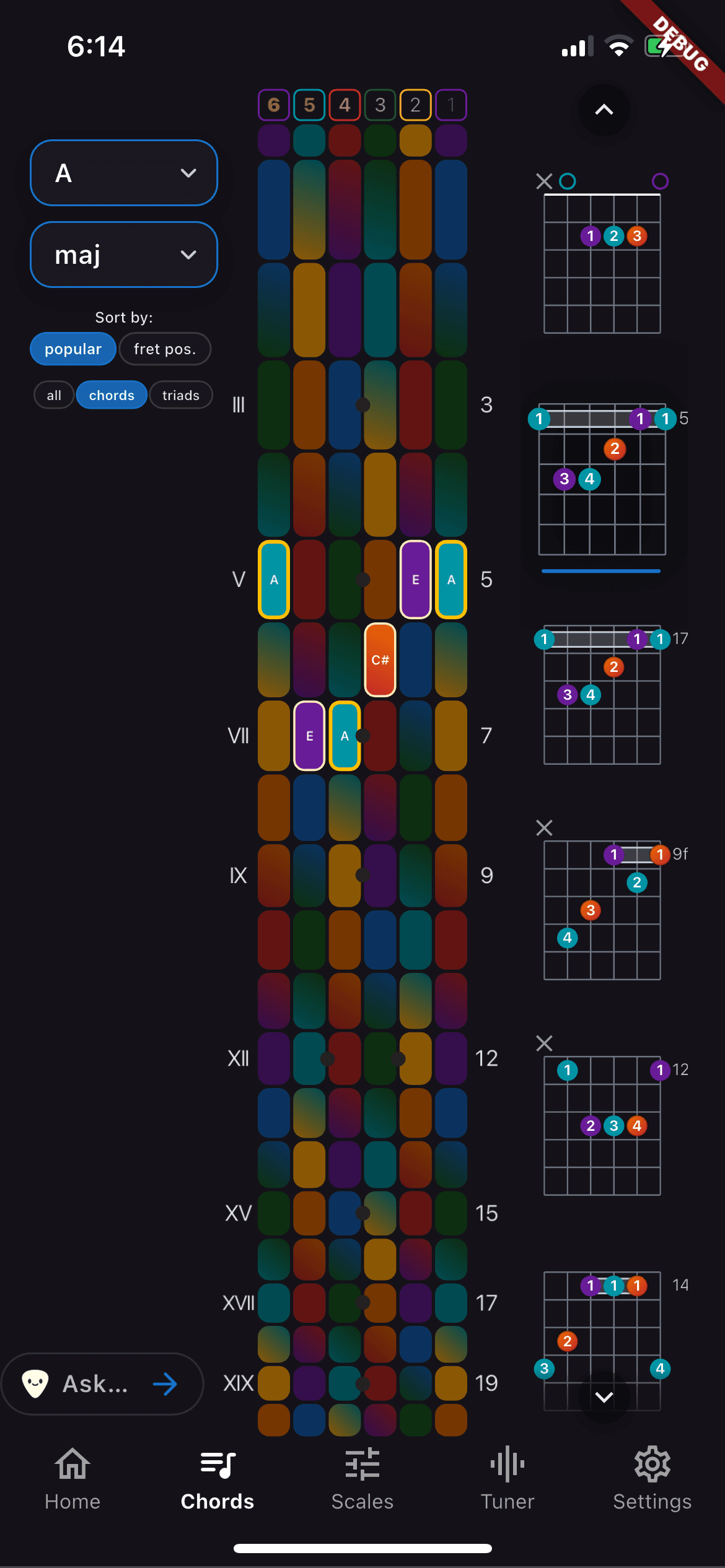
Chord clarity — notes and intervals mapped directly on the neck.
Progress snapshot
PlaceholderWhy this works
Most apps explain music. Most tutors talk about music.
Fretty lets you see it — and ask questions inside the instrument.
You stop asking: “What notes are in this?”
You start knowing: “I know this shape — and I know why it works.”
That’s real fluency.
Call-and-response mockup
Who Fretty is for
Beginners
Clarity instead of confusion
Intermediate players
Connect shapes, chords, and theory
Advanced players
Explore ideas faster, break patterns
What makes Fretty different
Not lessons.
Not flashcards.
Not static diagrams.
A living fretboard — with an AI tutor inside it.
Free to explore. Customize as you go. Learn at your pace.
Ready when you are
Memorize music by seeing it. Understand it by asking questions inside the instrument.